
PDF2IMAGE
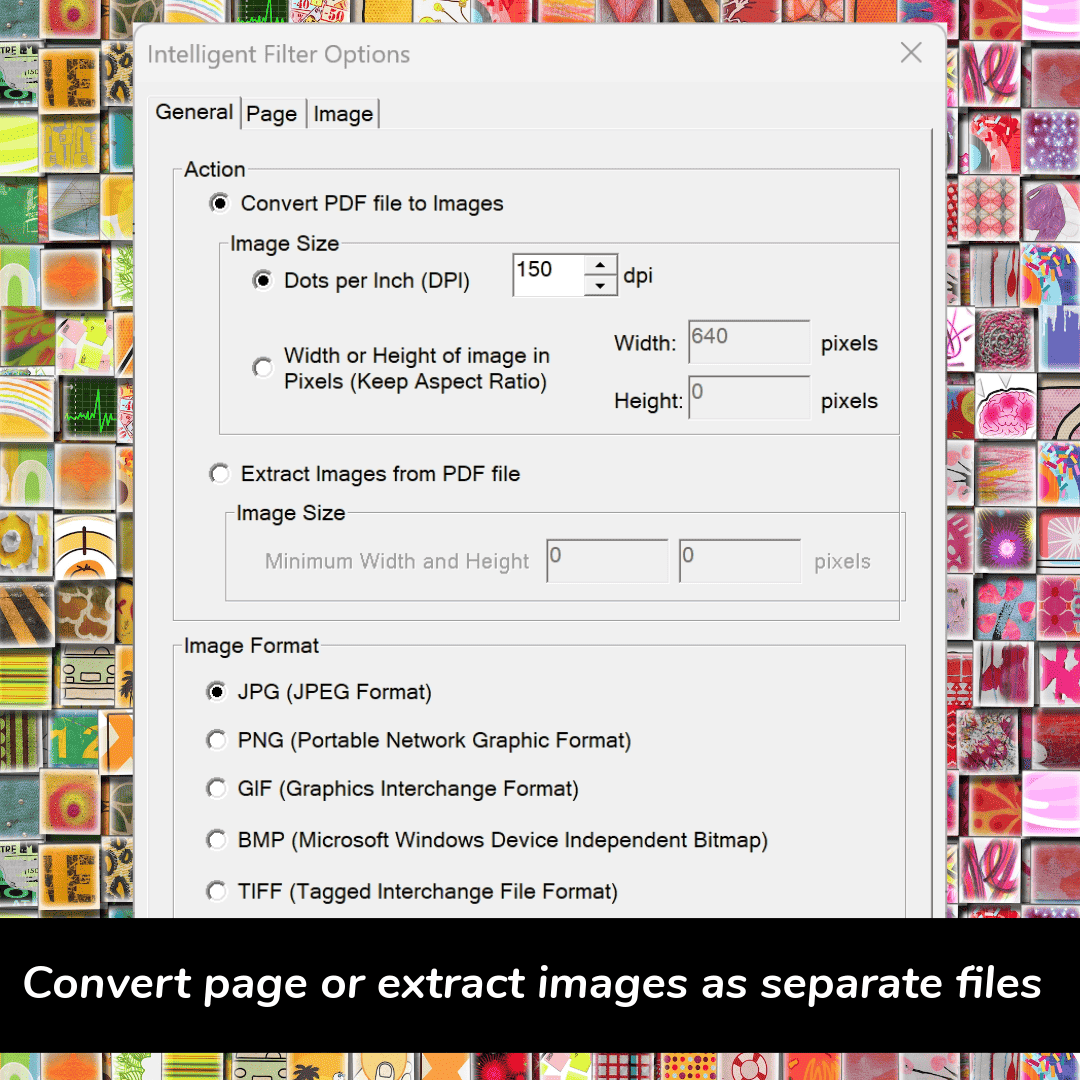
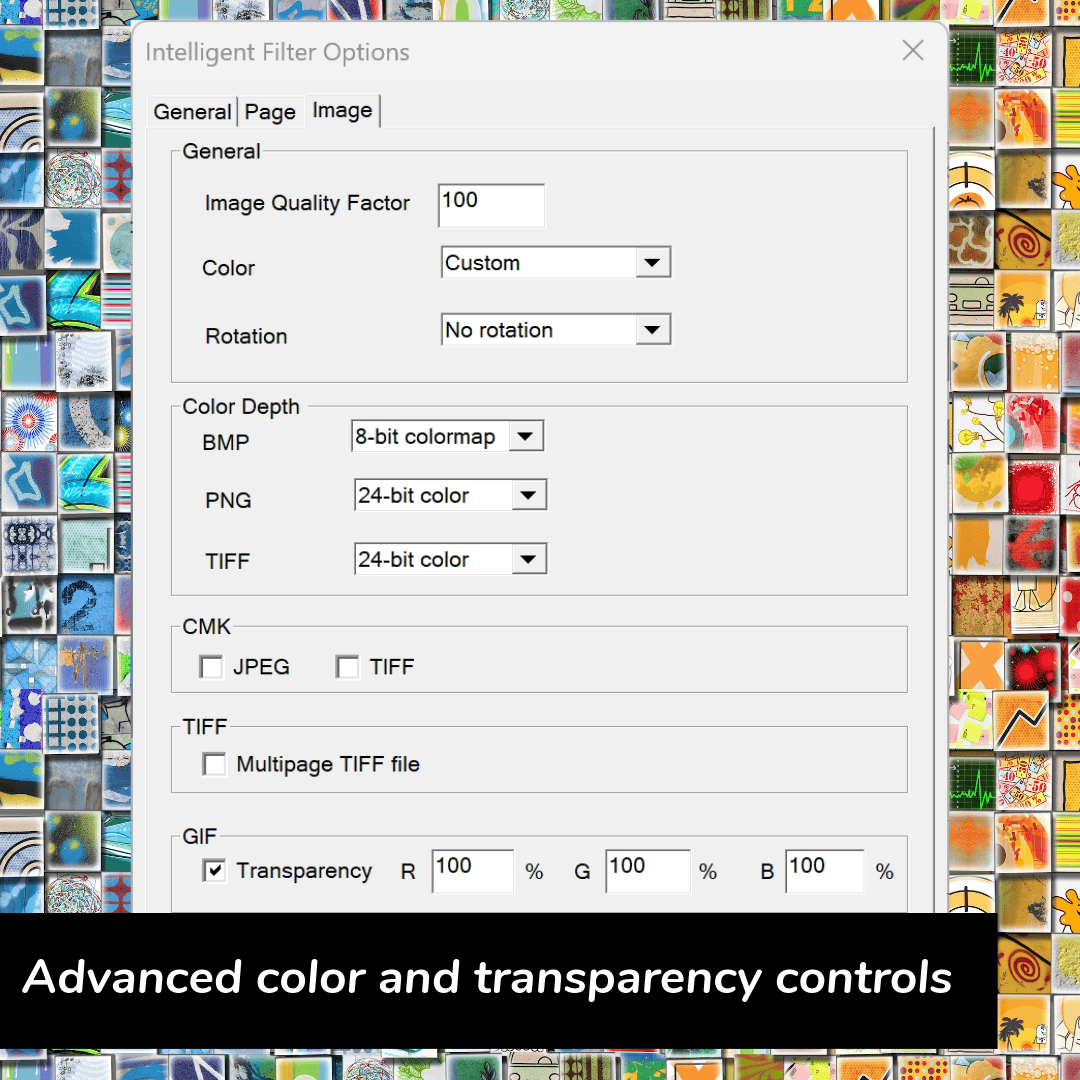
PDF2IMAGE transforms PDF files into beautiful graphics for print or web publishing. It generates flawless JPEG, GIF, PNG, and TIFF files from PDF, EPS, and AI input. It’s simple to use and can easily convert multiple files and multi-page documents simultaneously. You can adjust resolution, orientation, and color if needed, and you can convert entire pages or extract the images from the PDF pages – a convenient feature.
Support watch folders. A command-line version is available as well (PDF Conversion Server).
$20.00 / year
pdf2image – Turn PDF files into Images for Web and Print
pdf2image converts PDF files into high-quality JPEG, GIF, PNG, TIFF and BMP images for publishing on websites or for use in applications such as Microsoft Word, Microsoft Publisher® and Microsoft PowerPoint®. Choose to convert entire pages or choose just to extract images.
Enhance your office documents, newsletters, print projects, emails, or your website with images that are generated at just the right size and resolution for each job. Web publishers can choose from JPEG, GIF, and PNG and be guaranteed of crisp display on the Web or in an email broadcast. Microsoft Office users can add high-fidelity images to their presentations, reports, brochures, bulletins, and other works.
Features in pdf2image
- Convert PDF files into the most useful image formats – JPEG, PNG, GIF, TIFF and BMP
- Ideal for website graphics
- Accurately reproduces graphics, text, and layout of PDF pages with high-fidelity even at lower resolutions
- Options to set dimensions or resolution at the time of conversion
- Remembers last-used settings
- User-definable options to add numeric suffixes to organize multi-page files
- Advanced anti-aliasing for text sharpening
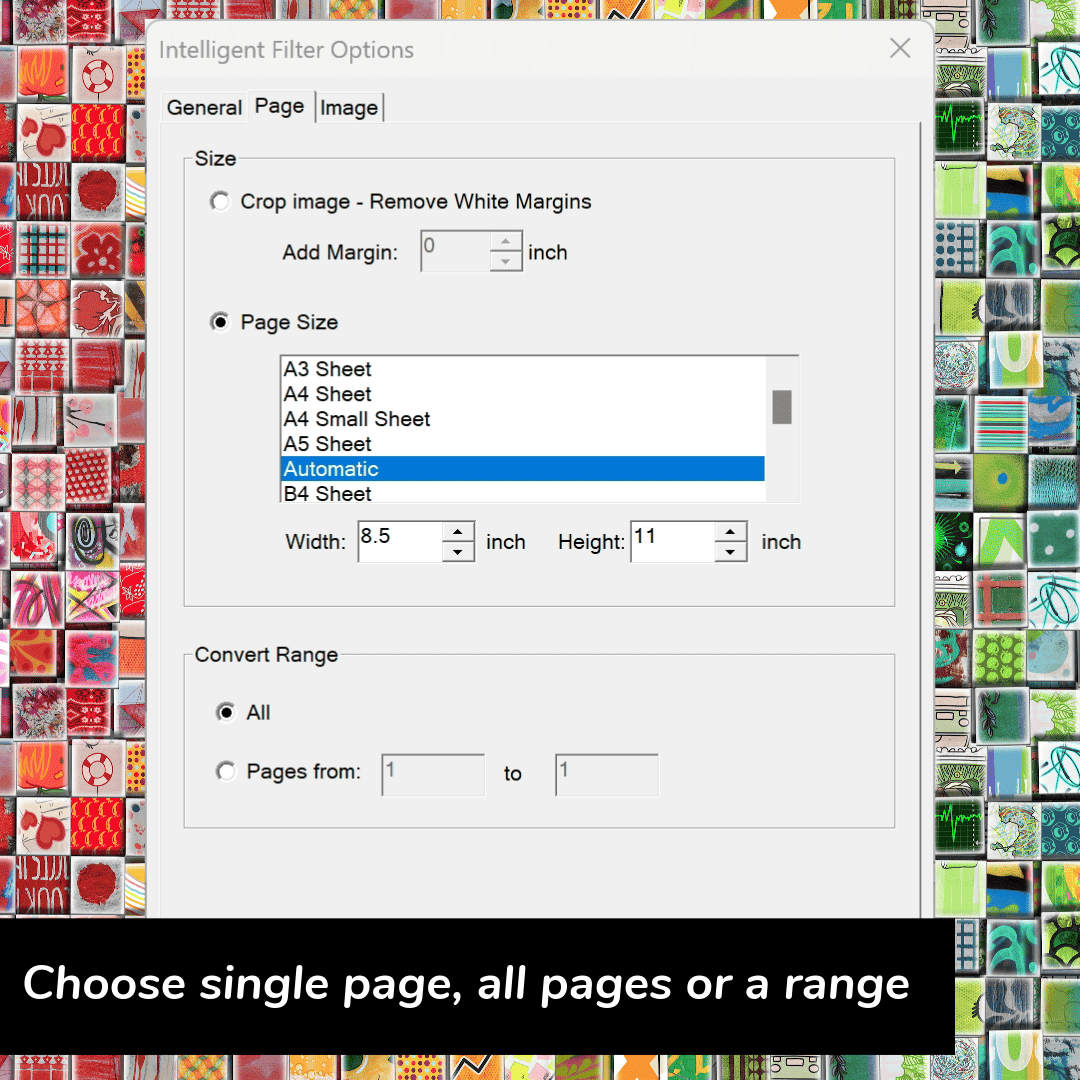
- Cropping to remove margins
- Improved reporting on errors and warnings
- Streamlined interface for faster and easier conversions
- Adobe software not required
- Noise correction
- Choose compression to reduce the file size
- Converts multi-page PDF to multiple single-page Web images
- Upgrades available to launch via command-line, batch file or watch folder
- Optional Command-Line Tool and SDK for API/DLL access to the conversion engine
System requirements & compatibility
- Runs on Microsoft Windows® (32-bit and 64-bit OS in 32-bit compatibility mode) up to Windows 10
- Supports all levels of PDF through the current PDF 2.0 specification
- Easy wizard-style Windows interface
- Formats produced are compatible with Microsoft® PowerPoint®, Microsoft® Word, Microsoft Publisher, Microsoft® Excel®, Microsoft Visio, Google Apps and more
Input Formats
- PDF, EPS, AI
Output Formats
- Image – JPEG, GIF, PNG, TIFF, BMP